PRODUCT DEMO · Synthetic data · No live submissions
The product / Context before action

From field context
to a reviewable request.

Halo RFQ helps industrial teams capture the information they have and keep the next decision in human hands.

Three ways to start / from your phone

Type it. Scan a QR.
Read a label photo.

Start with the information in front of you. Then confirm the identifier, add the request details and keep the context for a person to review.

Halo RFQ
STEP ENTRY · SYNTHETIC DEMO

Enter the identifier.

Start with what you know.

Part numberDEMO-VLV-204
Quantity2
Request notesConfirm availability and suitability.
Illustrative screen · Fictional data

Illustrative mobile screen · Fictional data

01 / Enter

Type the part number.

Already know the identifier? Enter it directly on your phone. Add quantity and request notes, including anything the reviewer needs to check.

No QR tag required. A known identifier is enough to start a request.

Halo RFQ
STEP QR · SYNTHETIC DEMO

Capture a QR.

Take a snapshot or choose an image.

Reviewed identifierDEMO-VLV-204
Illustration only · No decoding runs here

Illustrative mobile screen · Fictional data

02 / Scan

Capture a QR code.

Use the phone camera to take a QR snapshot, or choose a saved QR image. Review the decoded content, then explicitly apply the supported part identifier.

Review, then apply. A QR code is an entry aid, not a confirmed catalog match. Continuous scanning is not claimed.

Halo RFQ
STEP OCR · SYNTHETIC DEMO

Read a label.

Take a photo or choose a label image.

FICTIONAL EQUIPMENT LABELPART NO.DEMO-VLV-204
Editable OCR suggestionDEMO-VLV-204
Illustration only · Check every suggestion

Illustrative mobile screen · Fictional data

03 / Read

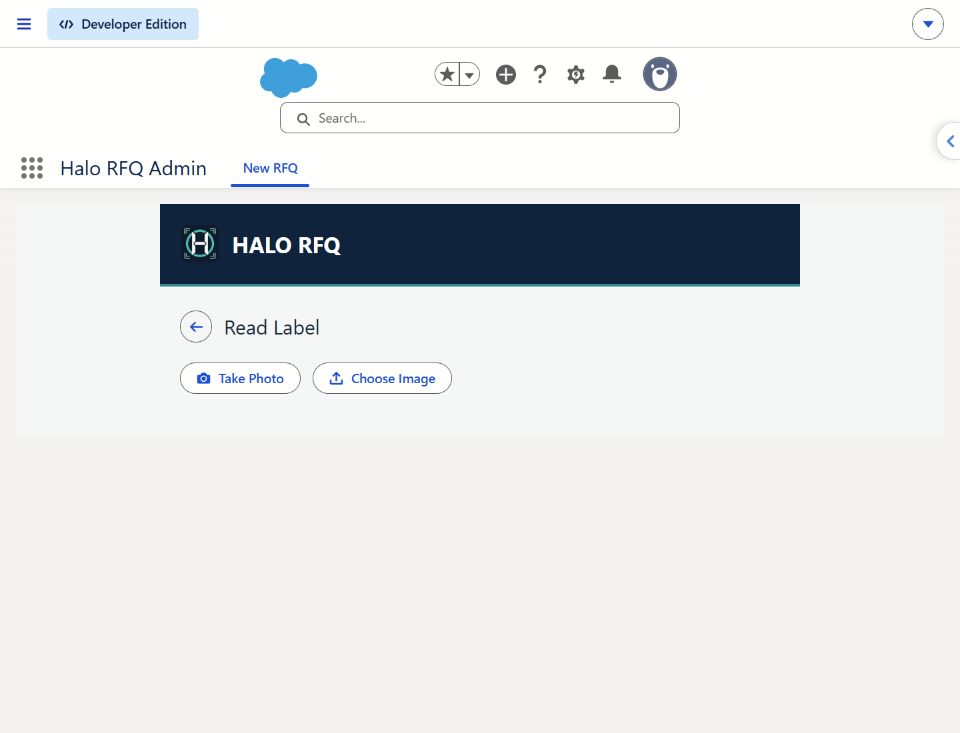
Read a label photo.

Take a photo of an English equipment label, or choose a label image. Local OCR returns an editable suggestion for the part number.

Check the suggestion. Correct the result and choose to apply it. A photo does not establish part suitability.

What is verified?

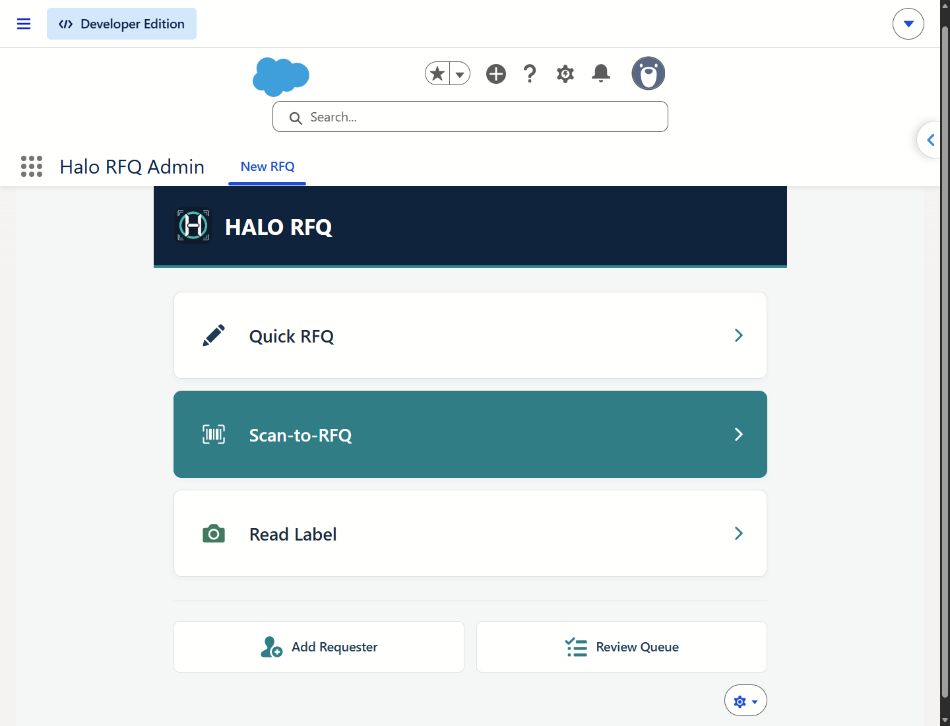
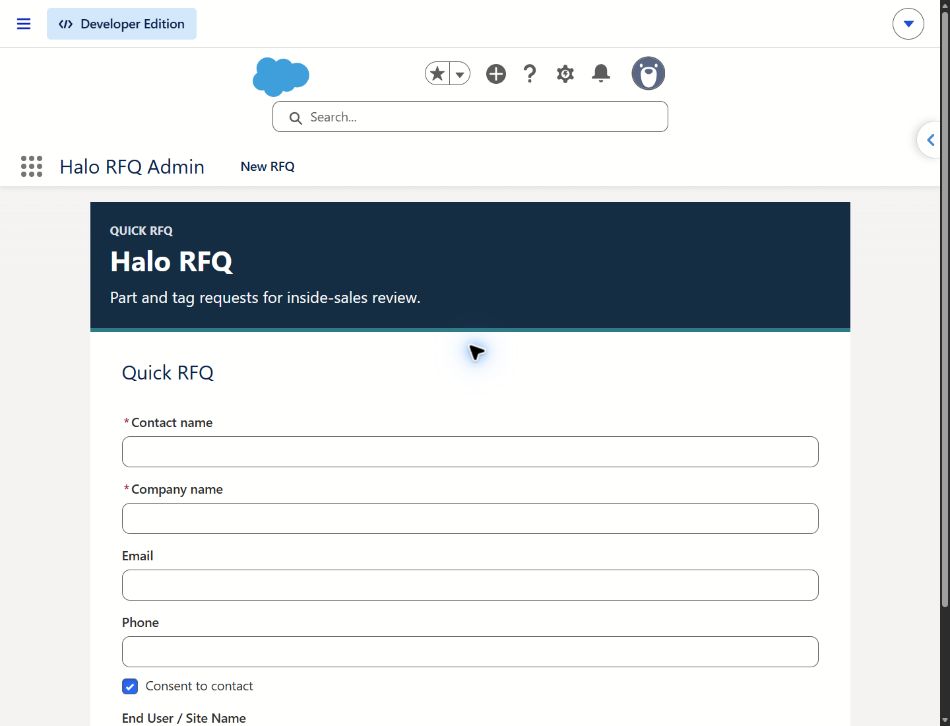
Standalone source and recorded phone acceptance support QR snapshot/image decoding and English label OCR suggestions, with explicit application. The Salesforce-native app has separate Quick RFQ, Scan-to-RFQ and Read Label entry screens; feature parity and end-to-end acceptance require validation for your scope.

What can I try here?

This website uses a sample identifier and fictional details. It does not activate your camera, decode a QR code or run OCR. Every path still needs human confirmation; no automatic replacement selection is implied.

What travels with the request

The details your reviewer
needs to ask better questions.

Part identifier. Quantity. Request notes. Distributor / Sold By context in the Salesforce-native workflow. Each contributes to a clearer handoff.

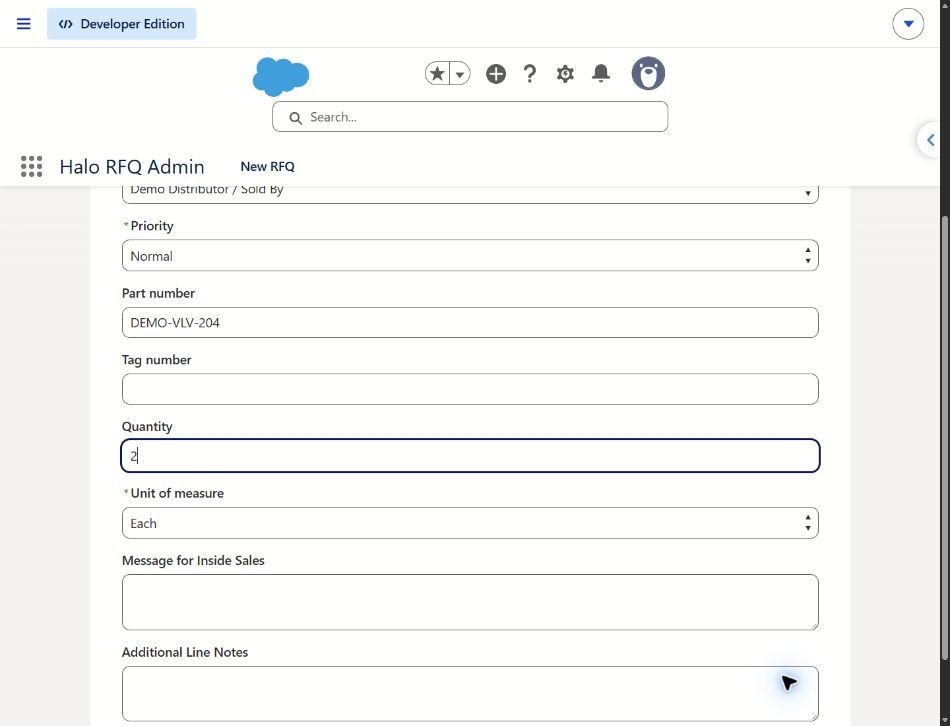
This is the deployed Salesforce-native Quick RFQ form, captured October 16, 2026 with fictional values entered on screen. The form was not submitted.

Explore the Demo ↗
Quick RFQ part details — app-focused crop of the actual deployed Salesforce-native interfaceOpen full screenshot ↗
Quick RFQ part detailsActual Salesforce-native form · Fictional, unsaved valuesApp-focused preview · Full original available above
Illustrative distributor professional reviewing a phone request at an industrial supply counter
AI-generated illustrative scenario · Fictional people and screen
A relationship worth carrying forward.

Keep the distributor in the conversation.

Distributor / Sold By context gives a reviewer a starting point for checking the existing relationship before commercial follow-up. The demo illustrates this handoff; no distributor is contacted.

Try the distributor-context step ↗

For the product interface, view the actual app screenshots.

A closer look / mobile workflow

The handoff, in your hand.

Illustrative mobile layouts with fictional data. These are recreated screen mockups, not screenshots of a deployed mobile app.

Capability status / Reviewed October 16, 2026

Evidence over assumptions.

“Verified” below means bounded implementation evidence, not production certification. Website interactions are labeled “Demonstrated.”

Standalone

Verified locally

Known-part capture, quantity and notes; requester-scoped saved requests, search and receipts. Local QR image/camera decoding and OCR suggestions require explicit user application; phone acceptance is recorded.

Standalone has no live Salesforce connection. Distributor-context handoff and reviewer actions shown in this website are illustrative, not implemented standalone features.

Salesforce-native

Implemented source

Separate Quick RFQ, request-line, distributor-context and internal review components exist, including assignment/status controls and permission boundaries.

Subscriber configuration, license fit, catalog behavior and current end-to-end pilot acceptance require validation. A prior controlled matching issue means successful matching must not be assumed.

This demo

Demonstrated

Editable synthetic capture → distributor context → request review → demo receipt → internal review recreation.

Browser memory only. No request record, email, routing, camera access, authentication or backend execution.

Email

Acceptance pending

Standalone HTML/plain-text previews and owner-run local authentication and delivery test tools exist.

ST-67 live authentication and delivery acceptance remain pending. A preview is not proof of delivery.

Connectors

Planned / proposed

Optional ERP, PIM, PLM, Sales Cloud, Service Cloud, Field Service and Manufacturing Cloud adapters are future scope.

No connector is represented as active here. Managed packaging and AppExchange listing/approval are not established.

Implementation choices

Choose a starting point.
Verify the boundary.

Evaluate the standalone workflow separately from a customer-owned Salesforce implementation. Agree on user roles, data ownership and operating responsibilities before introducing real information.

Local OCR in standalone should not be confused with autonomous part selection or the historical Salesforce photo-assisted concept.

Plan the implementation conversation →

Two implementation tracks

Standalone captureLocal request workspace · bounded evidence
Salesforce-native workflowCustom objects · subscriber configuration and validation
Future adapters require separate scope
ERP / PIM / PLM and other systemsProposed · no active connection in this demo
Put the handoff to the test

See the context.
Explore the conversation.

A synthetic walkthrough today. A scoped pilot conversation next.

Explore the Demo ↗
Keep the conversation connected

Branded notifications.
The right context for each person.

The request should carry its context beyond the phone. Halo RFQ’s email designs give the requester, distributor and representative a message shaped around their role in the handoff.

  • Requester confirmationA clear reference for the request and what happens next.
  • Distributor notificationKeep the distributor relationship visible in the follow-up.
  • Rep / team notificationBring the request and its context into human review.
Compare email and SMS status →
Halo RFQ
ILLUSTRATIVE EMAIL · FICTIONAL DATA · NOT SENT
Requester confirmation

Your request. Ready for human review.

A branded message keeps the reference and captured details together.

Reference
RFQ-DEMO-001
Part identifier
DEMO-VLV-204
Quantity
2
View request — preview onlyA confirmation is not a quote, an approved replacement or a delivery commitment.
SMS · Planned option

A short text. A clear next step.

Concept: a brief branded alert directing the recipient to the request for review.

Illustrative concept only. SMS sending is not implemented or demonstrated.

What is available today?

Demonstrated · Salesforce demo

Role-specific email

Requester, distributor and rep email versions have documented demo-inbox receipt. That evidence does not establish production delivery or acceptance across external organizations.

Previewed · Standalone

Branded email designs

Account verification, password reset, RFQ confirmation, team notification and status-update previews exist. Live authentication and delivery acceptance remain pending.

Planned · SMS

Text notifications

A future option requiring provider selection, consent, sender registration, opt-out controls and delivery acceptance. No SMS is sent by this site or demo.

For a pilot, agree on brand treatment, sender identity, recipients, message content and channel scope. Customer-specific branding and live delivery need implementation and acceptance review. Discuss implementation →

Pilot conversation guide

Start with the handoff.

Bring one product family, a field-user scenario and the reviewer’s definition of a complete request.

Your email. Your decision to send.

Open a draft to [email protected] in your email app. Nothing is sent automatically. This site collects no contact details.

Open pilot email draft ↗